
Documentation Index

Fetch the complete documentation index at: https://docs.kombo.dev/llms.txt

Use this file to discover all available pages before exploring further.

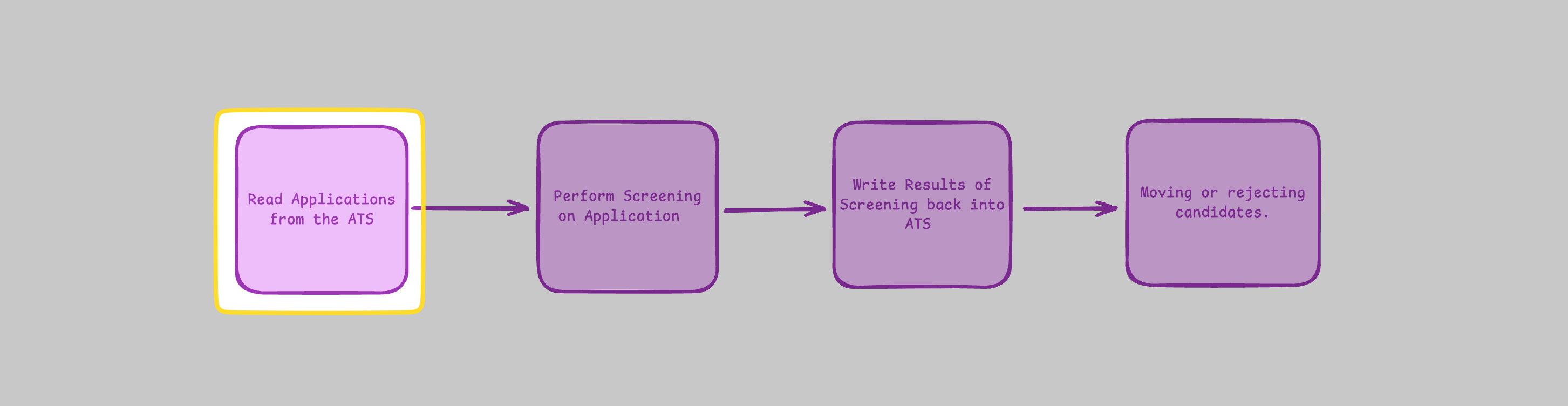
Reading Applications allows you to retrieve all applications from an ATS.

Reading All Applications

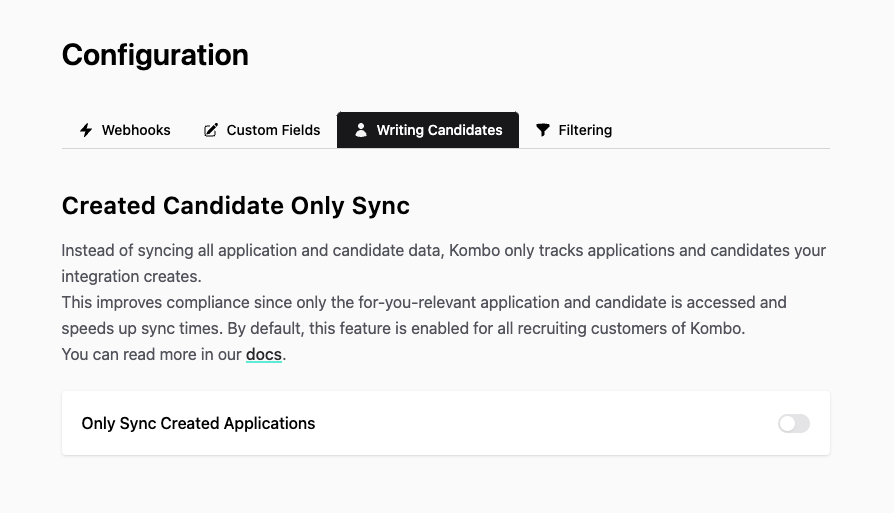
In order to ensure you read all applications from your customer’s ATS, you must configure the Only Sync Created Applications toggle to off in your dashboard. 1378 This can be done here in your Kombo Dashboard. Kombo uses multiple approaches (e.g., syncs and upstream webhooks) to ingest data from the ATS. Whenever we detect a change in the ATS—for example, a new candidate is created—you will receive a data-changed webhook allowing you to fetch any new data from Kombo. More information on fetching data can be found in Fetching Data. 1377 Once the first sync finishes, and whenever new data becomes available, you will receive a data-changed webhook. Then, using the GET Applications endpoint, applications can be read from the ATS into your system.
Set Screening Trigger stage

You will want to identify the trigger stage(s) for your screening. On the GET Jobs endpoint, you will see the stages object.
{
  "status": "success",
  "data": {
    "next": "eyJwYWdlIjoxMiwibm90ZSI6InRoaXMgaXMganVzdCBhbiBleGFtcGxlIGFuZCBub3QgcmVwcmVzZW50YXRpdmUgZm9yIGEgcmVhbCBjdXJzb3IhIn0=",
    "results": [
      {
        "id": "26vafvWSRmbhNcxJYqjCzuJg",
        "remote_id": "32",
        "name": "Backend Engineer",
        ...,
        "stages": [
          {
            "id": "3PJ8PZhZZa1eEdd2DtPNtVup",
            "remote_id": "32",
            "name": "Initial Screening",
            "index": 0
          },
          {
            "id": "HWUTwvyx2wLoSUHphiWVrp28",
            "remote_id": "38",
            "name": "Interview",
            "index": 1
          },
        ],
      }
    ]
  }
}
You will have to identify the stage at which screening should occur. It is possible to use the index, stages.id, or stage name to identify the stage(s) to trigger screening. You may also want to involve your customer in identifying the trigger stage. We recommend using the stages.id.
If you plan on moving an application we would recommend that you also identify the stages.id for the next stage in the application process and store this in your database. As you will need this in order to move the application to the next stage.

Understanding Stage Ordering

Each stage on the GET Jobs endpoint includes an index field that represents its position in the hiring pipeline. The stages array is sorted by index in ascending order.
The index field can be null when the underlying ATS does not expose stage ordering. Stages with a null index are sorted last. Always check for null before relying on index for ordering logic.
In many ATS systems, each job can have a custom hiring process — a different configuration of stages per job. Always get stage IDs and their order from the stages property on each specific job, not from the deprecated /application-stages endpoint.

Tracking Stages

You will have to keep track of applications during the application process in order to check whether the stage of the application has changed to the trigger stage. To see whether the stage of an application has changed, you have to implement some tracking logic on your end by calling the GET Applications endpoint with the updated_after filter and then comparing the stage of each candidate with the stage you currently have in your system. When you fetch the applications via the GET Applications endpoint, you will get the current_stage_id and current_stage properties for each application. The current_stage is an expanded version of the current_stage_id that includes the stage name and index:
{
  "status": "success",
  "data": {
    "next": "eyJwYWdlIjoxMiwibm90ZSI6InRoaXMgaXMganVzdCBhbiBleGFtcGxlIGFuZCBub3QgcmVwcmVzZW50YXRpdmUgZm9yIGEgcmVhbCBjdXJzb3IhIn0=",
    "results": [
      {
        "id": "26vafvWSRmbhNcxJYqjCzuJg",
        "remote_id": "32",
        ...
        "current_stage_id": "5J7L4b48wBfffYwek9Az9pkM",
        ...
        "current_stage": {
          "id": "5J7L4b48wBfffYwek9Az9pkM",
          "remote_id": "32",
          "name": "Initial Screening",
          "index": 0
        },
      }
    ]
  }
}

Get Attachments

As a screening company you may want to read candidates’ CVs. This can be done using the GET Application Attachments endpoint.
For every application you must make a request to retrieve the attachment
  • This endpoint requires the permission Read document attachments to be enabled in your scope configuration.
You will need to provide the application_id for each application you want to get the attachments for.
curl --request GET \
  --url https://api.kombo.dev/v1/ats/applications/{123abc}/attachments \
  --header 'Authorization: Bearer <token>' \
  --header 'X-Integration-Id: <x-integration-id>'

Screening Questions

Once you read in applications you can get the screening questions and answers from the screening_question_answers object on the get applications endpoint response.
"screening_question_answers": [
          {
            "answer": {
              "choice": "TypeScript"
            },
            "question": {
              "remote_id": "48b4d36a-1d4b-4c50-ada7-9519078e65b4",
              "title": "Which is your primary programming language",
              "type": "SINGLE_SELECT"
            }
          }
        ],